Git worktrees for Claude Code and Codex: a workflow for parallel agents, and the pitfalls
One worktree per agent: how Claude Code and Codex use git worktrees, a workflow to run both side by side, and the pitfalls, from .env to locked trees.

On this page
A git worktree is a second working folder attached to the same repository, with its own branch checked out. That’s exactly what parallel AI agents need: give each agent its own worktree, and two of them can edit, test and commit at the same time without touching each other’s files. The whole loop is four commands: git worktree add ../app-search -b agent/search, start the agent in that folder, merge the branch when the work is done, then git worktree remove ../app-search. Claude Code and Codex both build on this, and the pitfalls are the same with either.
I build Plyloft and Lyra PPC with Claude Code and Codex, usually with more than one job running at once. As I write this, git worktree list in the Plyloft repository prints 38 lines. None of them are Plyloft cards: they’re worktrees I made by hand for the agents that work on Plyloft itself, one branch per change, built by one agent and reviewed by the other. 37 of the 38 are already merged. That’s finished work I never cleaned up.
The one that taught me the most was smaller: two copies of the website in two worktrees, both trying to start a preview server on the same port. Git kept the files apart. It didn’t keep the ports apart, or the databases, or the logins. That’s the part most guides skip, and the one this guide spends the most time on.
What a git worktree is, in three commands
Every repository has one main worktree: the folder you cloned. git worktree add attaches more folders to it, called linked worktrees (git-worktree docs). Each one has its own files, its own HEAD and its own staging area. Everything else is shared: the commits, the branches, the config, and (this surprises people) the stash.
$ git worktree add ../app-feature-search -b feature/searchPreparing worktree (new branch 'feature/search')HEAD is now at a5be2b6 Add readme line$ git worktree list~/code/app a5be2b6 [main]~/code/app-feature-search a5be2b6 [feature/search]$ git worktree remove ../app-feature-search$ git worktree list~/code/app a5be2b6 [main]While it exists, the new folder doesn’t hold a copy of the repository. Its .git is a one-line file pointing back at the main one:
$ cat ../app-feature-search/.gitgitdir: ~/code/app/.git/worktrees/app-feature-searchSo a worktree costs you the checked-out files, not the history. A commit made in one worktree is visible from every other one at once, because there’s only one set of branches. If you’ve never used one, how to use git worktree walks through a first worktree start to finish. The full options for creating one are in git worktree add, with every way to create one; for how worktrees compare with switching branches, stashing or a second clone, see git worktree vs branch, stash and clone.
Why parallel agents need separate checkouts
An agent doesn’t just write files. It runs the tests, reads the output, edits again, runs git status to see what it changed. Put two agents in the same folder and each one sees the other’s half-finished edits as if they were its own. A test run fails because of a file the other agent is in the middle of rewriting. A diff includes changes nobody asked this agent for. And if one of them switches branch, it switches the other one too, or Git stops it:
$ git switch hotfixerror: Your local changes to the following files would be overwritten by checkout: login.jsPlease commit your changes or stash them before you switch branches.AbortingA worktree per agent removes all of that. Each agent has a folder only it writes to, on a branch only it moves. You review and merge each branch on its own, the same way you’d merge a colleague’s.
In words: with one folder, Claude and Codex both edit src/login.ts, and a branch switch moves both of them. With git worktree add, each agent gets its own folder and branch, while every folder shares one .git. A new worktree has only tracked files, so each one needs its dependencies installed, its .env copied and a dev-server port of its own. At the end, each branch is merged into main, its worktree is removed and the branch is deleted.
A workflow: one worktree per task
This is the manual version. It works with any agent, or with no agent at all.
1. Name the folder and the branch after the task
One task, one branch, one folder. I name both after the job, so git worktree list reads like a to-do list:
$ git worktree add .worktrees/search -b agent/searchPreparing worktree (new branch 'agent/search')HEAD is now at a5be2b6 Add readme line$ git worktree add .worktrees/billing -b agent/billingPreparing worktree (new branch 'agent/billing')HEAD is now at ecac1b4 Ignore .worktrees$ git worktree list~/code/app ecac1b4 [main]~/code/app/.worktrees/billing 8cadb3d [agent/billing]~/code/app/.worktrees/search 0d62987 [agent/search](Between the two, I added .worktrees/ to .gitignore, which is why the second one starts from a newer commit; the list was taken after each agent had made one commit.)
Where the folders go is a matter of taste. Next to the repository (../app-search) keeps them out of the way. Inside it (.worktrees/search) keeps everything for one project in one place, but then add the folder to .gitignore, or every worktree shows up as untracked:
$ git status --short?? .worktrees/Claude Code uses the inside option, .claude/worktrees/, and its docs give the same .gitignore tip.
2. Set the worktree up
A new worktree has the files Git tracks, and nothing else. Before an agent starts, run your project’s setup there: install dependencies, copy .env and any other ignored config, and pick a port for its dev server if it runs one. The pitfalls section below has the details.
3. Start the agent inside it
cd .worktrees/searchclaude # or: codexThe agent sees an ordinary repository on its own branch. Everything it does, from edits to commits, stays in that folder and on that branch. Moving between worktrees yourself is just cd; switching between git worktrees has a shell function that jumps to one by branch name.
4. Run the checks in the worktree
Run the tests and the build in the agent’s worktree, not in your main checkout. That’s the point: the checks see exactly what this agent changed, and nothing from the other agent.
5. Review and merge each branch
From the main worktree, each agent’s branch is just a branch. Review its diff, then merge it, or push it and open a pull request:
$ git merge --no-edit agent/searchMerge made by the 'ort' strategy. search.md | 1 + 1 file changed, 1 insertion(+) create mode 100644 search.md6. Clean up
Remove the worktree, then delete the branch. Two commands, in that order:
$ git worktree remove .worktrees/search$ git branch -d agent/searchDeleted branch agent/search (was 0d62987).What can go wrong at this step, from locked worktrees to branches Git won’t delete, is in git worktree remove, prune and lock.
The pitfalls, and what to do about each
node_modules, build folders and virtualenvs aren’t there
Anything in .gitignore stays behind in the folder it was created in. In my scratch repository, the main folder had node_modules/ and .env; the new worktree had neither:
$ git status --short --ignored!! .env!! node_modules/$ ls -a ../app-feature-search....git.gitignoreREADME.mdpackage.jsonSo every worktree needs its own install, and its own disk space for dependencies and build caches. OpenAI’s Codex docs make the same point: worktrees “can take up a lot of disk space”, which is why the Codex app keeps only the 15 most recent ones it manages by default (Codex worktrees).
.env and other ignored config files
Same cause, more confusing symptom: the agent starts, the app can’t find its keys, and the agent may “fix” it by inventing a config. Copy the files before the agent starts. Claude Code and the Codex desktop app both read a .worktreeinclude file at the repository root, in .gitignore syntax, and copy the ignored files it lists into each worktree they create (Claude Code, Codex):
.env.env.localconfig/secrets.jsonNeither tool copies them into worktrees you create yourself with git worktree add, so for the manual workflow, copy them in your setup step.
Ports, databases and anything else outside the folder
A worktree isolates files. It doesn’t isolate what your app talks to. Two dev servers both want port 3000. Two test suites against the same local database will trip over each other’s data. My rule is to give each worktree its own port through its .env, and its own database name if the tests write to one. That’s my practice, not something I measured for this post.
“is already used by worktree”
A branch can be checked out in one worktree at a time. Try a second and Git refuses:
$ git worktree add ../app-main mainPreparing worktree (checking out 'main')fatal: 'main' is already used by worktree at '~/code/app'Give the new worktree its own branch with -b, or --detach if you only want to look at a commit. The Codex docs explain why: two worktrees moving the same branch would race to update it.
“cannot delete branch used by worktree”
The same rule, from the other side. Git won’t delete a branch while a worktree has it checked out, not even with -D:
$ git branch -D fix-loginerror: cannot delete branch 'fix-login' used by worktree at '~/code/app-fix-login'Remove the worktree first. If you deleted the folder by hand, Git still thinks it’s there until you run git worktree prune. Every variant I could reproduce, with a table of fixes, is in cannot delete branch used by worktree.
Locked worktrees
git worktree lock protects a worktree from being pruned, moved or removed, and Git means it: one --force isn’t enough.
$ git worktree remove --force ../app-usbfatal: cannot remove a locked working tree, lock reason: on an external driveuse 'remove -f -f' to override or unlock firstClaude Code locks the worktrees its subagents and background sessions run in while they run, so if git worktree remove refuses one of those, check that nothing is still using it before you lift the lock (Claude Code).
Submodules
Git’s own docs list this as a known bug: “the support for submodules is incomplete. It is NOT recommended to make multiple checkouts of a superproject.” A worktree with submodules can only be removed with --force and can’t be moved with git worktree move (git-worktree docs). If your repository is a superproject, test the workflow on a branch you don’t mind losing before you hand it to agents. I haven’t tested submodules for this post.
The stash is shared
Easy to miss: there is one stash for the whole repository. A stash made in the main folder shows up in every worktree:
$ git stash push -m 'demo' && git -C ../app-hotfix stash listSaved working directory and index state On main: demostash@{0}: On main: demoIf agents use git stash, one of them can pop the other’s work. Tell them to commit to their own branch instead.
How Claude Code handles worktrees
Claude Code has worktrees built in (Run parallel sessions with worktrees, read October 4, 2026):
claude --worktree feature-auth(or-w) creates.claude/worktrees/feature-auth/on a new branch,worktree-feature-auth, and starts the session there. Leave the name out and Claude makes one up.claude --worktree "#1234"creates the worktree from pull request 1234 instead (quote it, or the shell reads#as a comment). Handy if you have an agent review pull requests.- On exit, a clean worktree from an unnamed session is removed with its branch; a worktree with changes or commits makes Claude ask whether to keep it or remove it.
- New worktrees branch from the default branch on the remote, unless the
worktree.baseRefsetting is"head", which starts from your current localHEADinstead. To start from a specific existing branch, the docs say to create the worktree with Git yourself. - Subagents can each run in their own worktree: ask for it, or add
isolation: worktreeto a custom subagent’s definition. .worktreeincludecopies ignored files like.envinto the worktrees Claude creates.
How Codex handles worktrees
In Codex the built-in worktrees live in the ChatGPT desktop app (Codex worktrees, read October 4, 2026):
- Pick “Worktree” under the composer when you start a chat, and the starting branch below it. Codex creates the worktree in
$CODEX_HOME/worktrees, in a detachedHEAD, so its worktrees don’t add branches until you ask for one with Create branch here. To put them somewhere else, change Settings > Worktrees > Worktree root. - Handoff moves a chat and its code between the worktree and your local checkout, doing the Git steps for you.
- Cleanup is automatic: by default Codex keeps its 15 most recent managed worktrees, saves a snapshot before deleting one, and never deletes a pinned chat’s, a running chat’s or a permanent worktree.
.worktreeincludeworks the same way as in Claude Code.
With the Codex CLI, I use the manual workflow above: create the worktree with Git, cd into it, run codex. If you haven’t installed it yet, I wrote up how to install Codex CLI and sign in with ChatGPT.
Worktrees, subagents or a second clone?
| Separate files | Separate branch | Shares commits instantly | Setup per copy | |
|---|---|---|---|---|
| Subagents in one session | No, unless each runs in its own worktree | No | Yes | None |
| One worktree per agent | Yes | Yes | Yes | Install, .env, port |
| A second clone | Yes | Yes | No: push and fetch | Install, .env, port, plus the whole history again |
Subagents split one job inside one session; they’re for reading and research more than for parallel edits, unless you give each its own worktree. A second clone works, but it’s a separate repository: commits only travel between clones through a remote. For agents on the same machine, worktrees are the lighter option.
How I run it
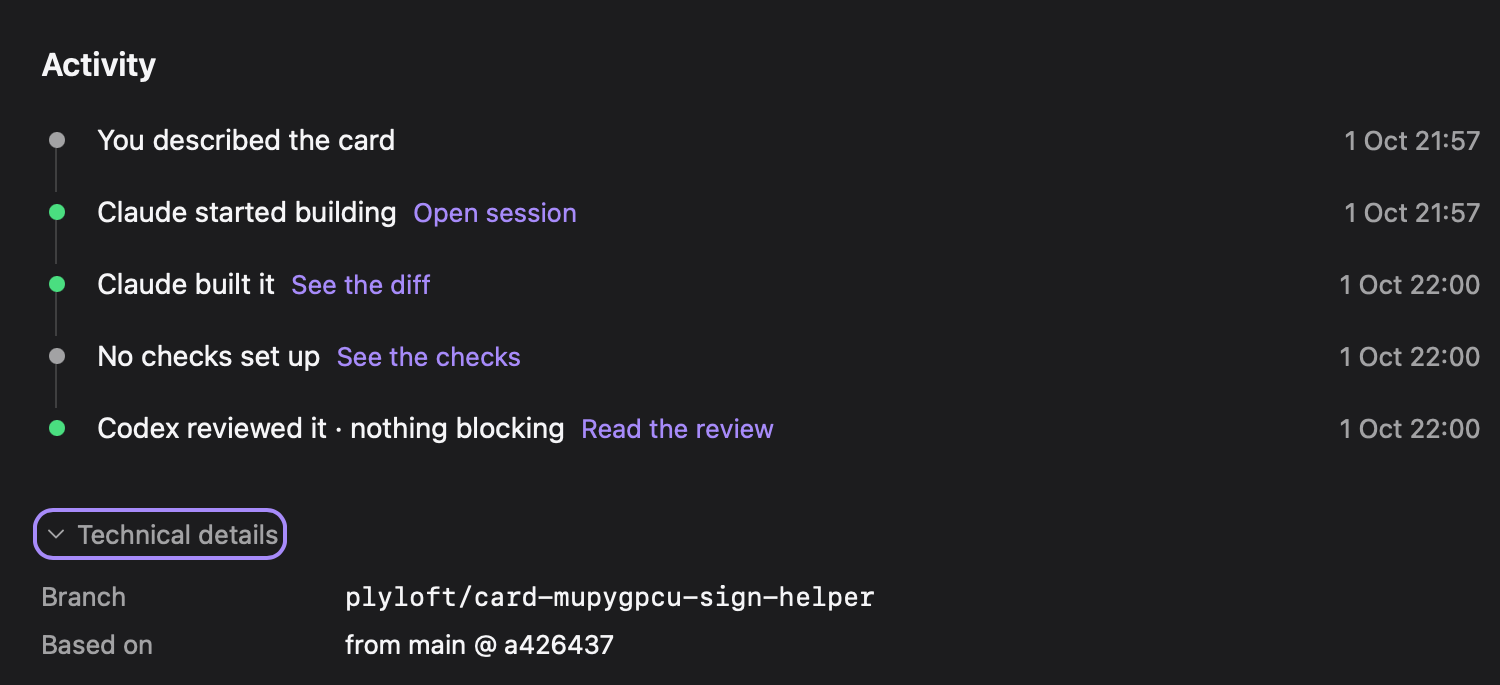
I don’t type these commands much anymore. In Plyloft, each job is a card, and pressing Start build gives the card its own worktree on its own branch, named after the card (for example plyloft/card-abcdef01-session-cookie-expiry). Your main branch isn’t touched, so several cards can build at once. One agent builds in that worktree, the other reviews the diff read-only, and the project’s checks run on it. After the card ships, its worktree goes to a trash folder for 7 days, and a week later Plyloft deletes the branch on your computer, unless it has commits made after it shipped (shipping).
Plyloft runs the official claude and codex command-line tools, in real terminals you can open, on a plan you already pay for: Claude Pro or higher, or ChatGPT Plus or higher. One plan is enough: with only Claude or only ChatGPT, the reviewer is a second session of the same agent, and the card says so. The Free plan runs the whole loop, one card at a time; building several cards at once is Pro. Plyloft’s server never receives your code, your prompts or your file names.
For the pitfalls above, here’s what Plyloft does and what it leaves to you. Each project’s settings (Building and checking) have an Each card’s copy section with two rows:
- Files copied in lists git-ignored files, like a
.env, that Plyloft copies from your main checkout into every new card worktree before the Builder starts. The first card that creates a worktree asks once whether to copy the checkout’s git-ignored.envfiles. Only the file names are kept in the settings, never what the files hold. - Before the Builder starts, run (for example
npm ci) runs in the new worktree before the Builder starts. If it fails, the card stops there, with the output, until you press Retry or Start anyway.
Ports and databases: Plyloft does nothing about them. That stays your project’s job, as in the ports section above.
If you also want to see why I have a second agent review the first one’s work, that’s in Codex vs Claude Code: one builds, one reviews.
If you’d rather not manage worktrees by hand, download Plyloft and try the Free plan.
Questions people ask
What is a git worktree?
A second working folder attached to the same repository. Each worktree has its own files, its own checked-out branch and its own staging area, and all of them share one .git: the commits, the branches, the config and the stash. You create one with git worktree add and delete it with git worktree remove.
Does a git worktree copy node_modules and .env?
No. A new worktree gets the files Git tracks and nothing else, so ignored folders like node_modules and dist, and ignored files like .env, are missing until you install or copy them. Claude Code and the Codex desktop app can copy ignored files listed in a .worktreeinclude file when they create a worktree.
Can two worktrees have the same branch checked out?
No. Git refuses with "fatal: 'main' is already used by worktree at …". Create a new branch for the second worktree with -b, or use --detach if you only want to look at a commit.
How do I delete a git worktree?
Run git worktree remove <path>. Git refuses if the worktree has modified or untracked files; add --force to throw them away. If you already deleted the folder by hand, run git worktree prune so Git forgets it, then delete the branch with git branch -d.
Does Claude Code support git worktrees?
Yes. claude --worktree <name> creates a worktree under .claude/worktrees/<name> on a new branch named worktree-<name> and starts the session there. Subagents can run in their own worktrees too, with isolation: worktree in their definition.
Does Codex support git worktrees?
Yes, in the ChatGPT desktop app: pick Worktree under the composer and Codex creates one in $CODEX_HOME/worktrees, in a detached HEAD. It keeps the 15 most recent by default and saves a snapshot before deleting one. OpenAI's worktree docs cover the app; with the Codex CLI, create the worktree with git worktree add and run codex inside it.